






















Board portal features that deliver results
BoardWorks is designed to simplify your board operations, whether you're streamlining meeting prep or accelerating decision-making. With a suite of powerful board management software features built into a bank-level secure platform, you get the tools your board needs to deliver results.
Unlimited committees & officer groups
Seamless Microsoft 365 integration
Docusign integration for faster approvals
Drag-and-drop board pack creation
Real-time voting and feedback
Unlimited committees & officer groups
As your organization grows, so do your governance needs. Unlike other providers that charge for additional committees, BoardWorks gives you the freedom to create as many specialized groups as you need, without worrying about hidden costs or software limitations.

Seamless Microsoft 365 integration
Stay organized and connected with built-in Microsoft 365 integration. Schedule meetings, send emails, and share documents - all within one secure platform. Your board can easily track communication history and keep everything in one place, reducing friction and improving collaboration.

Docusign integration for faster approvals
Sign off on policies and resolutions while on the go with Docusign integration. Embedded directly in BoardWorks, with Docusign you can securely sign documents without switching platforms. Every signature is tracked, creating a clear audit trail and speeding up turnaround times.

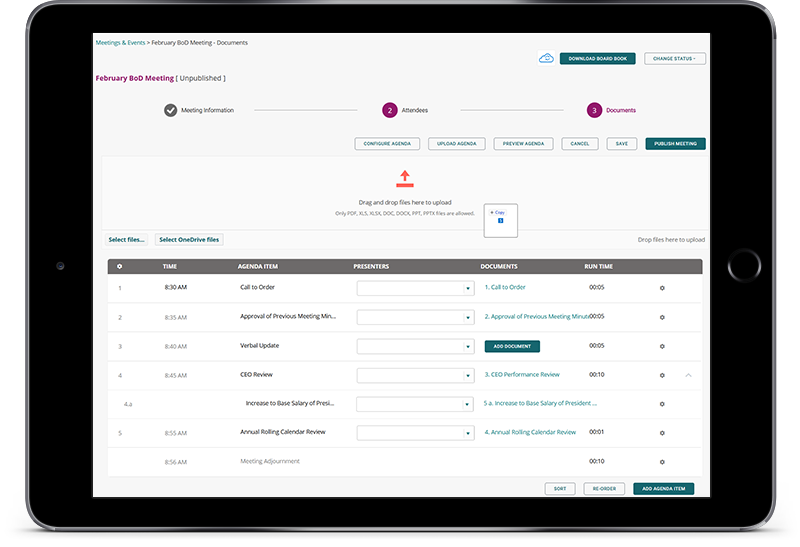
Drag-and-drop board pack creation
Preparing board materials doesn’t have to be a time drain. BoardWorks’ intuitive board meeting agenda builder makes assembling board packs quick and easy, so you can focus on what matters most.
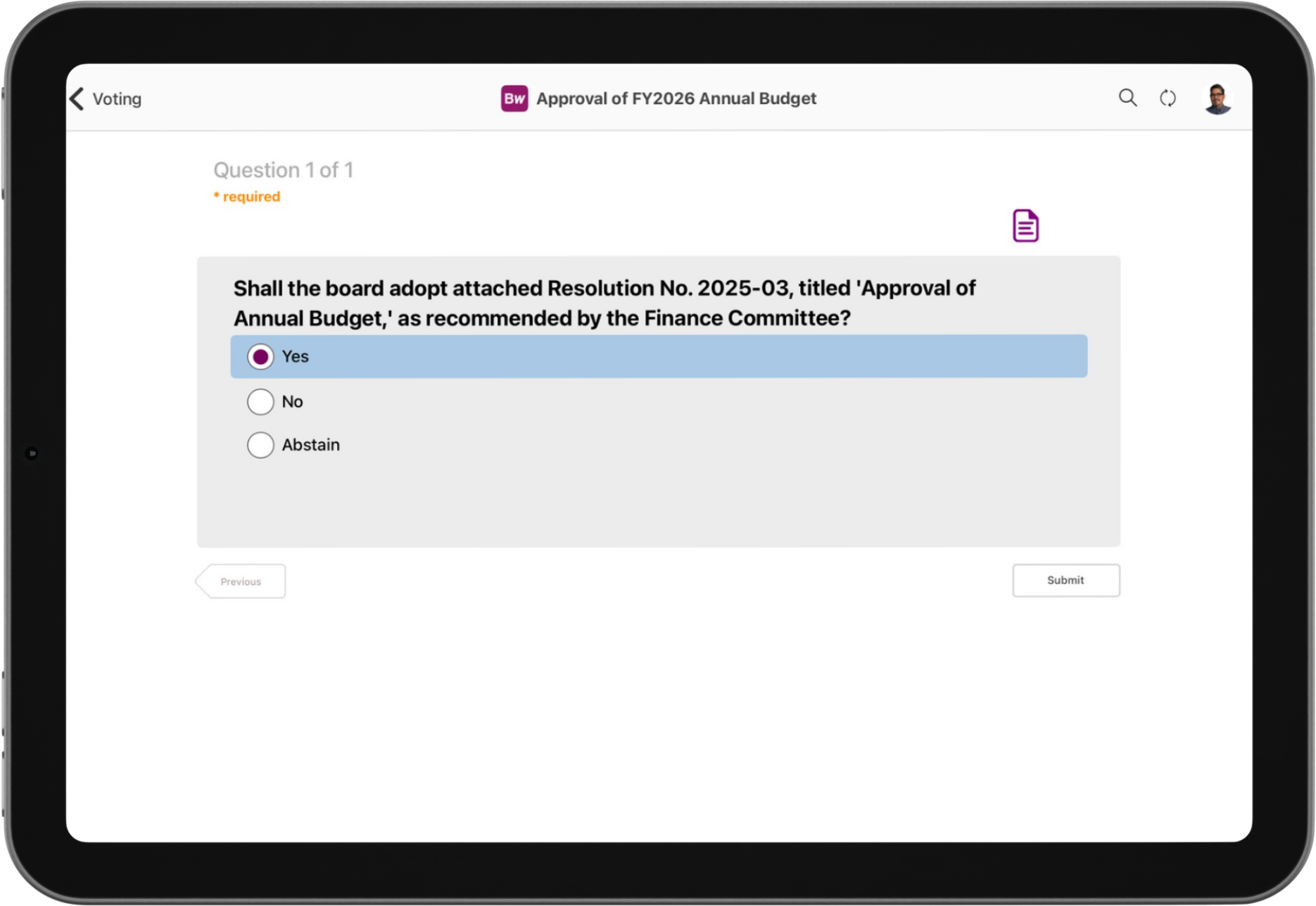
Real-time voting and feedback
Make decisions faster and improve engagement with in-app voting, evaluations, and survey tools. Directors can vote on resolutions, approve consents, and respond to questionnaires, all within BoardWorks.
Smart board portal features. Seamless governance.
Powered by intuitive technology, BoardWorks empowers better board governance. Explore our full list of features, designed to strengthen boardroom efficiency and support more effective governance.
Features for every member of your board
BoardWorks works with every boardroom role in mind. Whether you're a director, corporate secretary, or part of the legal team, our board management software features help you work smarter, faster, and more securely.
Board members
Stay prepared and engaged with centralised access to board packs, meeting minutes, and key documents. Integrated annotation tools let you make notes before, during, or after meetings, while in-app voting streamlines decision-making so you can focus on strategy, not logistics.
What our clients think
Don’t just take our word for it – see what real BoardWorks clients think of our board portal features.
“
Our Board members appreciate the ability to annotate because we did not have that option available before. Just being able to save those annotations and not having to start over is huge.
Senior Executive, HomeTrust Bank
“
This is a product that is very applicable to small and large organizations. It can work for anyone... There’s no reason that other boards shouldn’t consider it.
CEO, Edgerton Hospital
Your questions, answered
What are the main features to look for in a board portal?
The most valuable features will depend on your board’s specific needs. For example, if you're a corporate secretary aiming to reduce the time spent preparing board books, look for tools that streamline this process, such as drag-and-drop document assembly. If your priority is faster decision-making, features like in-app voting and board evaluations can help accelerate resolutions. The best way to assess whether a portal meets your requirements is to request a demo and explore the functionality firsthand.
Can a board portal integrate with other tools a board already uses?
Yes, many board portals offer integrations with commonly used platforms. For instance, BoardWorks integrates with Microsoft 365, allowing users to send emails, manage calendars, and schedule meetings directly within the portal. These integrations help streamline workflows and reduce the need to switch between apps.
Is there offline functionality in BoardWorks?
Absolutely. BoardWorks includes offline functionality, so board members can access essential materials even without an internet connection. This includes board books, saved annotations, and evaluations. Importantly, offline access is still protected by advanced encryption to ensure your data remains secure.